GTA 6 Storage: How to Free Up Space, Best SSD for PS5 and Xbox
GTA 6 needs up to 212 GB, and pre-load opens on November 10. Here's how much room your console really has, which drives can actually run the game, and a step-by-step plan for the tightest console of all, the Xbox Series S.
In this article
- How much space does GTA 6 need?
- Will GTA 6 fit? Usable storage on every console
- How to free up space for GTA 6 without losing anything
- Best M.2 SSD for PS5: what Sony requires for GTA 6
- Xbox Storage Expansion Card: the only add-on that plays GTA 6
- A storage plan for Xbox Series S owners
- Our take: clear space this weekend, buy hardware only if you must
- FAQ
GTA 6 storage comes down to one number: Official Rockstar says the pre-load needs up to 212 GB on PS5 and Xbox Series X|S, and it opens on November 10, 2026. The game has to run from your console's internal SSD, a PS5 M.2 SSD or an Xbox Storage Expansion Card; a USB external hard drive can park other games to free up space, but it can't play GTA 6. Below: how much room each console really has, how to clear it, which drive to add if you need more, and a plan for the Xbox Series S.
How much space does GTA 6 need?
Official On November 3, Rockstar confirmed that the GTA 6 pre-load needs up to 212 GB "depending on your device", and the PlayStation Blog put it plainly for PS5: clear a minimum of 212 GB. Reported On Xbox, the store listing shows 209.86 GB, Notebookcheck reported on November 7, while back-end store data points to a bigger download, so plan for the full 212 GB on Series X and Series S as well.
That's the download, not the whole story. No day-one update has been announced, but big launches usually get one. Our rule is the same as in our pre-load file size tracker: keep about 30 GB spare on top of the 212 GB, so roughly 242 GB free on the drive GTA 6 goes to.
Rumor Some sites claim the install needs far more free space while it unpacks. No platform holder or Rockstar has said so. Check the GTA 6 page in your library before pre-load night: it shows the space needed.
Will GTA 6 fit? Usable storage on every console
The number on the box isn't what you get. The system software takes a slice of every drive, and the Series S loses the most in proportion. These are the usable figures for an empty console, as measured by the outlets in the last column, and the room left after GTA 6 plus our 30 GB margin.
| Console | Drive | Usable space | Left after 212 GB + 30 GB spare | Source |
|---|---|---|---|---|
| PS5 (2020 model) | 825 GB | about 667 GB | about 425 GB | PlayStation Universe, The FPS Review |
| PS5 Slim | 1 TB | about 848 GB | about 606 GB | The FPS Review |
| PS5 Pro | 2 TB | about 1,890 GB | about 1,648 GB | PlayStation Universe |
| Xbox Series X | 1 TB | about 802 GB | about 560 GB | TechRadar |
| Xbox Series S | 512 GB | about 364 GB | about 122 GB | TechRadar |
| Xbox Series S (Carbon Black) | 1 TB | about 800 GB | about 558 GB | KitGuru |
Reported The usable figures are outlets' measurements, not official specs, and the last column is our own subtraction, so treat it as a guide. For your exact console and free space, our GTA 6 pre-load planner does the sum and adds the download time for your internet speed.
On a 512 GB Series S, GTA 6 leaves room for only one or two more big games.
How to free up space for GTA 6 without losing anything
Start by checking what you have. On PS5, go to Settings > Storage. On Xbox, go to Settings > System > Storage devices and select the internal drive. Then work through this list, cheapest fix first.
- Delete games you've finished. Your saves stay on the console (and in cloud storage if you use it), so you can reinstall later and carry on where you left off.
- Clear old captures. Video clips and screenshots pile up fast, especially long recordings. On PS5 look in the Media Gallery; on Xbox open Captures in the guide. Copy anything you want to keep to a USB stick or your phone first.
- Remove apps and add-ons you don't use. Streaming apps, old demos and language packs are small one by one but add up.
- Move games to a USB drive instead of deleting them. This is the big one, and it works on both consoles (steps below). Moving a game back later is usually much quicker than downloading it again.
Move games to a USB drive on PS5
Official A USB drive set up as extended storage must be 250 GB to 8 TB and connected at SuperSpeed USB 5 Gbps or faster, not through a hub, PlayStation Support says. In your Game Library, highlight a game, press Options, choose Move Games and Apps and select the ones to move. PS5 games can't be played from there; to play one again, highlight it in the Installed tab, press Options and choose Copy to bring it back. Official PS4 games are the exception: they can be played straight from the USB drive.
Move games to a USB drive on Xbox Series X|S
Reported Plug in a USB 3.0 or faster drive and format it when the console asks. Then go to Settings > System > Storage devices, pick the internal drive, choose Move or copy, tick the games and select Move selected, as Seagate's support guide describes. Menu names can shift slightly between system updates. Official Microsoft's storage primer says USB drives can't play games optimized for Series X|S, but Xbox One, Xbox 360 and original Xbox games can run from them, so backward-compatible games are the best ones to park there.
Best M.2 SSD for PS5: what Sony requires for GTA 6
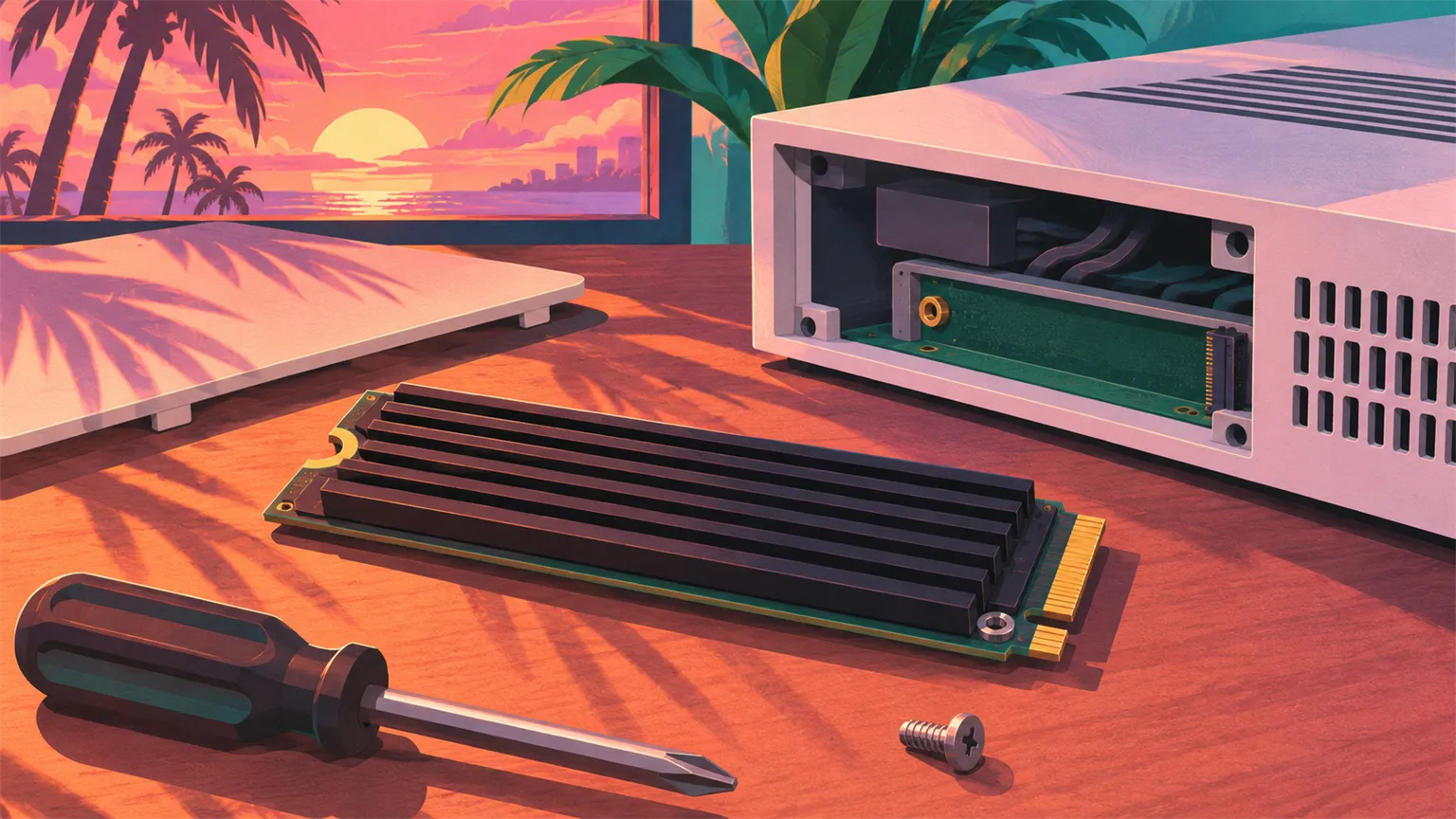
If clearing space isn't enough, an M.2 SSD is the only way to add room a PS5 can play GTA 6 from. Official Every PS5 model has an expansion slot, including the original, the Slim and the Pro, and Sony's support page is clear:
"PS5 games are playable on M.2 SSD storage."
PlayStation Support
Official Sony's requirements, from that page:
- Interface: PCIe Gen4 x4 M.2 NVMe SSD (Key M). M.2 SATA drives aren't supported.
- Capacity: 250 GB to 8 TB.
- Speed: a sequential read speed of 5,500 MB/s or faster is recommended.
- Sizes: 2230, 2242, 2260, 2280 and 22110 form factors.
- Cooling: the drive needs effective heat dissipation, such as a heatsink or heat-transfer sheet. With the cooler, it must stay within 25 mm wide and 11.25 mm thick (up to 8 mm above the board). Don't add a second heatsink to a drive that already has one.
Which drive? Our view
This isn't a ranking, but here's how we'd shop. In our view, 2 TB is the sweet spot: it holds GTA 6 and several other big games, while 1 TB fills up fast. Look for a Gen4 drive rated at 5,500 MB/s or more, in the common 2280 size, with a heatsink already fitted that's within Sony's height limit.
A few examples that come up again and again: Reported the WD_BLACK SN850P is sold as an officially licensed PS5 drive with a heatsink made for the slot, TechPowerUp reported; the WD_BLACK SN850X with heatsink was reviewed as a strong PS5 fit by Club386; and the Samsung 990 Pro with heatsink is another Gen4 drive often suggested for PS5. Those are examples, not endorsements. Prices have moved a lot recently, so compare current listings yourself and check the spec sheet against Sony's list before you buy.
How to install an M.2 SSD in a PS5
Official Update the console's system software first, then turn it off fully, unplug everything and let it cool. You need a #1 Phillips (cross-head) screwdriver and a well-lit table. On the Slim and Pro you remove a small cover panel; on the original PS5 you lift off one side cover. Then remove the expansion slot cover, set the spacer to your drive's length, slide the SSD in at an angle, press it down and screw it in. Put the covers back, power on, and the PS5 asks you to format the drive, which erases anything on it. Sony's step-by-step page has pictures for each model.
Once it's formatted, you can set the M.2 SSD as the install location for PS5 games, or move games there from internal storage to free room for GTA 6.
Xbox Storage Expansion Card: the only add-on that plays GTA 6
On Xbox Series X|S there's no open M.2 slot. Instead, Official you plug a Storage Expansion Card into the port on the back of the console, and Microsoft says it works on both Series X and Series S with no setup. It gives the same performance as the internal drive:
"The exact same experience and performance as if the game was running from the internal SSD."
Microsoft, Xbox Wire
Official USB 3.1 drives are a different story: Microsoft's own comparison lists them as unable to play games optimized for Xbox Series X|S. Our read: GTA 6 is built only for Series X|S and PS5, with no Xbox One version, so plan for it to need the internal drive or a card, like every other current-generation game.
Which cards exist
- Official Seagate: Microsoft announced 512 GB and 2 TB Seagate cards in October 2021, next to the original 1 TB card. Reported StorageReview has since reviewed a 4 TB Seagate model.
- Reported WD_BLACK C50: Western Digital's card arrived in mid-2023 in 512 GB and 1 TB sizes, Engadget reported, and a 2 TB model followed, per Windows Central.
We're not quoting prices, which change often. In our view, 1 TB is enough for most players, and on a Series S a card is the cleanest long-term fix.
A storage plan for Xbox Series S owners
The 512 GB Series S is the console most likely to run out of room. Reported With about 364 GB usable, GTA 6 plus our 30 GB margin leaves roughly 122 GB for everything else. Here's the plan we'd follow this weekend.
- Check free space now: Settings > System > Storage devices > internal drive. You want about 242 GB free before November 10.
- Move, don't delete. Any Xbox One or backward-compatible game can go to a USB drive and still be played from there. Current-generation games can sit there too and be moved back when you want them.
- Delete what's easy to get back. Game Pass games and games you own digitally reinstall from the cloud, and your saves sync.
- Clear captures and apps you don't need.
- Leave space for a patch. If you can only just squeeze 212 GB in, a day-one update may not fit. That's when a Storage Expansion Card earns its price.
- Set it and sleep. Turn on automatic updates and set the power mode to Sleep, as in our step-by-step pre-load guide, so the download starts at 12 a.m. GMT on November 10.

Our take: clear space this weekend, buy hardware only if you must
Our read: most players don't need to buy anything. Any PS5 or a Series X can fit GTA 6 after an hour of tidying, and a USB drive you already own can park the games you're not playing. Spend money only if you want a big library next to GTA 6, or own a 512 GB Series S.
If you do buy, buy the right thing. On PS5 that's a Gen4 M.2 SSD within Sony's size limits, with a heatsink. On Xbox it's a Storage Expansion Card. A USB external hard drive, however big, won't run GTA 6 on either console. And whatever you do, finish it before pre-load opens on November 10, so the download can run overnight. The countdown shows how long you have, and if you're on a PS5 Pro, our PS5 Pro Enhanced guide covers what the extra power gets you. If you're still on an older console, read which devices can't run GTA 6 first.
FAQ
How much storage does GTA 6 need?
Official Up to 212 GB on PS5 and Xbox Series X|S, Rockstar says, and the PlayStation Blog says to clear at least 212 GB on PS5. We'd keep about 30 GB more free for a day-one update, which hasn't been announced.
Does GTA 6 need an SSD?
GTA 6 is only on PS5 and Xbox Series X|S, and both consoles have an SSD built in, so you don't need to buy one. You only need an extra SSD if you can't free 212 GB on the internal drive: an M.2 SSD on PS5 or a Storage Expansion Card on Xbox.
Can GTA 6 run from an external hard drive?
No. Official PS5 games can't be played from USB extended storage, and on Xbox, USB drives can't play games optimized for Series X|S. You can use a USB drive to store other games and free internal space, or to keep a copy of GTA 6 to move back later.
What is the best SSD for GTA 6 on PS5?
There's no single best drive, but it must meet Sony's spec: Official a PCIe Gen4 M.2 NVMe SSD of 250 GB to 8 TB, ideally 5,500 MB/s or faster, with a heatsink that fits the slot. In our view, a 2 TB drive with a built-in heatsink is the sweet spot for most players.
Will GTA 6 fit on an Xbox Series S?
Yes, but it's tight. Reported The 512 GB Series S has about 364 GB usable, so GTA 6 takes more than half of an empty console. Move or delete other games first, or add a Storage Expansion Card. The 1 TB Series S has about 800 GB usable and much more breathing room.
Can I install GTA 6 on the Xbox Storage Expansion Card?
Yes. Official Microsoft says games run from the Storage Expansion Card with the same performance as the internal SSD, on both Series X and Series S. Plug the card into the port on the back and choose it as the install location, or move GTA 6 there after the pre-load.
Sources
- Rockstar Newswire: Grand Theft Auto VI pre-load begins on November 10 (November 3, 2026)
- PlayStation Blog: Grand Theft Auto VI pre-download begins November 10, by Tim Turi (November 3, 2026)
- GamesRadar+: Rockstar confirms GTA 6 is 212GB, pre-loading opens earlier, by Austin Wood (November 3, 2026)
- PlayStation Support: Adding an M.2 SSD to PS5
- PlayStation Support: USB extended storage on PS5
- Xbox Wire: A primer on the storage options for Xbox Series X and Xbox Series S (September 24, 2020)
- Xbox Wire: New Seagate Storage Expansion Cards for Xbox Series X|S (October 21, 2021)
- Seagate: Storage Expansion Card for Xbox Series X|S FAQ
- Seagate Support: Using an external USB drive with an Xbox Series X or S
- StorageReview: Seagate 4TB Storage Expansion Card for Xbox Series X|S review
- Engadget: Western Digital's first Xbox Series X/S storage cards start at $80 (June 2023)
- Windows Central: WD_BLACK 2TB expansion card for Xbox Series X|S
- TechPowerUp: Western Digital intros WD_BLACK SN850P NVMe Gen 4 SSD for PlayStation 5 (June 8, 2023)
- Club386: WD_Black SN850X Heatsink 1TB SSD review, primed for PS5
- TechRadar: Xbox Series X storage, everything you need to know
- PlayStation Universe: The PS5 Pro has 1.89TB of usable storage (November 6, 2024)
- The FPS Review: PS5 Slim has more usable storage space than Xbox Series X (November 2023)
- KitGuru: the 1TB Carbon Black Xbox Series S is now available
- Notebookcheck: GTA 6 Xbox file size leak differs from PS5, with release day patch possible, by Adam Corsetti (November 7, 2026)

We research GTA 6 from official sources and label every claim as official, reported or rumor. How we work · GameSight on YouTube
Keep reading
 Video + notes
Guides
GTA 6 Beginner's Guide: 25 Tips From Real Gameplay
We played GTA 6 on PS5 before writing a word. These are the 25 things we wish we'd known on the first boot: the settings, the house, the car trunk, the police description and Focus. No story spoilers.
Guides
Is GTA 6 Down? GTA 6 Server Status and Not Working Fixes
GTA 6 is a single-player game at launch, so when it won't start on November 19, the problem is usually your console, store or licence, not a Rockstar server. Here's how to tell the difference and what to try, symptom by symptom.
 Video + notes
Guides
GTA 6 Tips: 25 Things You Should Never Do on Day One
GTA 5 habits will cost you in Leonida. Here are 25 things you should never do when GTA 6 releases, each one traced to what Rockstar has shown or said, and labelled official, reported or our advice.


