GTA 6 How to Save: Manual Saves, Autosave and Load Game
There's no bed to sleep in and no phone quick-save: in GTA 6 you save from the pause menu. Here's how saving works, why some players lost hours in launch week, and how to make sure it doesn't happen to you.
In this article
- How to save in GTA 6 (manual save)
- How GTA 6 autosave works, and how to tell it's saving
- Load Game, save slots and "save profiles"
- The launch lost-progress problem and the Load Game tip
- Cloud saves on PS5 and Xbox
- GTA 6 cross-save and save file size
- What to do if your GTA 6 save is corrupted
- Our take: save like the autosave isn't there
- FAQ
To save in GTA 6, pause the game, open the Game tab and choose Save Game, then pick one of 15 slots. You don't need a safehouse, a bed or your phone. GTA 6 also autosaves, but less often than many players expect, and that gap is why launch week was full of lost-progress stories. This guide covers how to save, how autosave works, the Load Game tip that recovers "lost" saves, cloud backups on PS5 and Xbox, and cross-save.
How to save in GTA 6 (manual save)
GTA 6 breaks with GTA 5 here. There's no sleeping in a safehouse bed to save and no quick-save on the phone. Reported SVG, Techloy and IBTimes AU all report that saving lives in the pause menu, and KeenGamer says you don't need a safehouse to do it.
- Make sure you're in free roam: not in a mission, not in a fight and not wanted.
- Press Options (PS5) or Menu (Xbox Series X|S) to open the pause menu.
- Go to the Game tab and select Save Game.
- Pick an empty slot for a new save, or an old one to overwrite it.
- Wait until the save finishes before you close the menu.
Reported If the option is greyed out, you're somewhere the game won't let you save. Dexerto says saving is unavailable during missions; Kotaku found it also blocked during combat, while the police are after you and even mid-jump. Get clear, lose the cops and try again.
Official When you open the slot list, each save is named after the last story mission you finished, followed by a completion percentage, so you can tell your saves apart at a glance (seen in our PS5 gameplay).
What the bed is still for
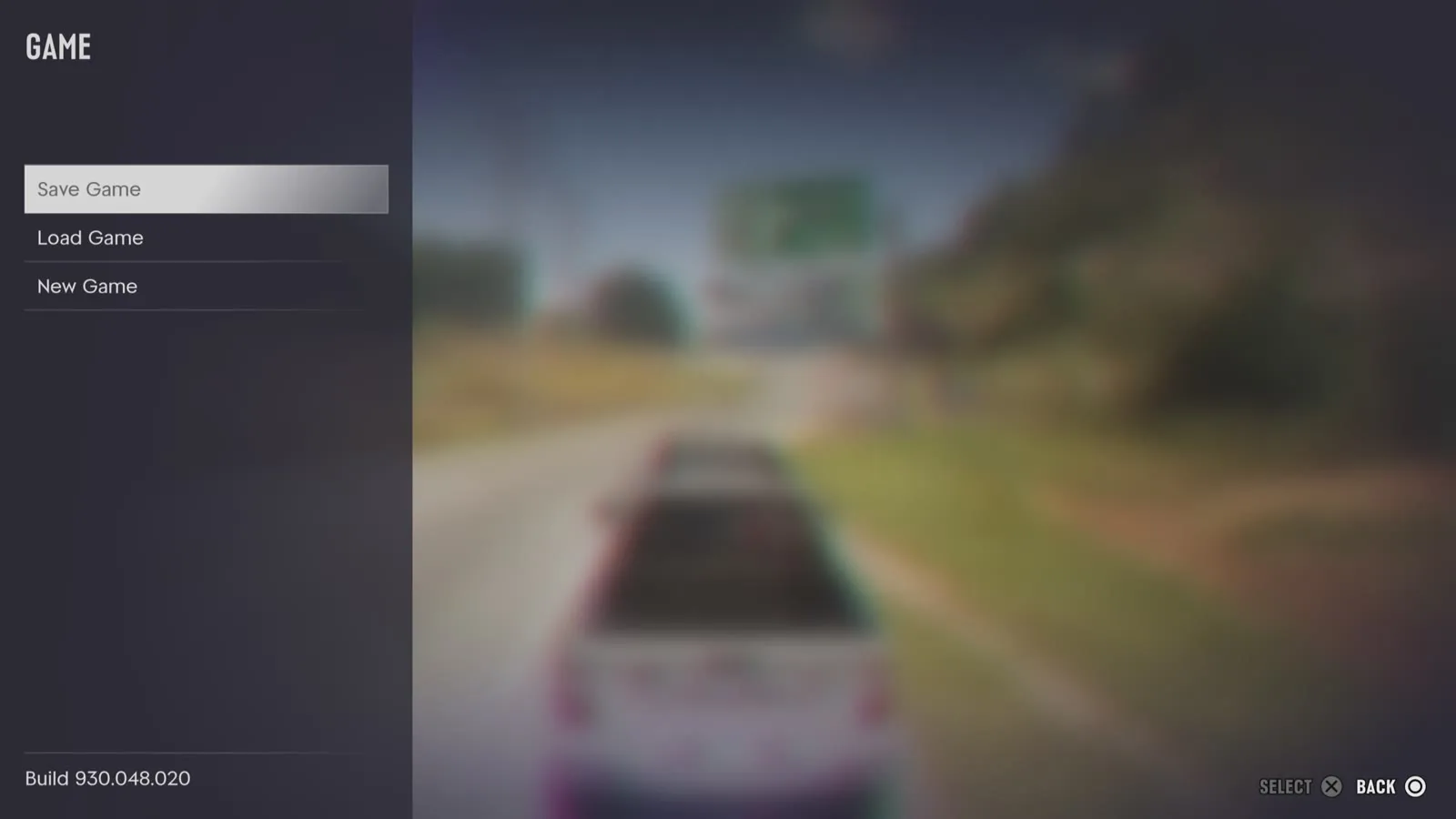
Official Your bed still matters, just not for saving: a night in your own bed gave us a Well Rested status, and the next workout window opened the morning after (seen in our PS5 gameplay). Reported KeenGamer says sleeping skips the night and fully restores health and stamina. Our GTA 6 safehouses guide covers everything else your home is good for.
When manual saving unlocks
Reported You can't save manually during the opening prologue. IBTimes AU and KeenGamer say the game only autosaves until you reach Jason's house at the marina, usually after your first job for Brian. From then on the pause-menu save works anywhere in free roam. Our Chapter 1 guide walks through that stretch without story spoilers.
How GTA 6 autosave works, and how to tell it's saving
Reported GTA 6 keeps a single autosave slot, separate from your 15 manual slots, and every new autosave replaces the previous one (Dexerto, KeenGamer). IBTimes AU says it shows up as a 16th entry in the Load Game list.
What triggers an autosave. Reported Guides list finishing a mission and some open-world events, including being wasted or busted (Dexerto, IBTimes AU). Kotaku's test was more cautious:
"Based on our testing, GTA 6 will save after main story missions and larger side missions."
Imran Khan, Kotaku
Reported Small activities, such as a quick delivery for a neighbour, didn't trigger a save in Kotaku's testing, and nothing autosaves during a mission. So if your console turns off halfway through a mission, you replay it from the start.
How to tell it's saving. Reported SVG reports a spinning white circle in the bottom-right corner of the screen while the game autosaves. Our tip: if you're about to stop playing, don't rely on spotting it. Make a manual save.
Load Game, save slots and "save profiles"
Reported The Game tab in the pause menu also holds Load Game and New Game (IBTimes AU). Load Game lists both your manual saves and the autosave, and it's the screen to check first if progress seems to have vanished.
There are no separate in-game "save profiles" that we've seen. Our read: your 15 slots work as your profiles, and the saves belong to the console account you play on, so each person on a shared PS5 or Xbox should play on their own account. Reported Dexerto suggests starting a new slot after each chapter, and notes there's no mission replay menu, so manual saves are the only way back to a mission you've finished.
A simple slot plan that works for us:
| Slots | Use them for |
|---|---|
| 1-3 | Rolling saves: rotate through them every session |
| 4-8 | One per chapter, made as the new chapter starts |
| 9-12 | Before big jobs or choices you may want to replay |
| 13-15 | Spare, for anything you don't want to lose (a rare car, a big cash pile) |
The launch lost-progress problem and the Load Game tip
Reported On launch day, Notebookcheck reported that some PS5 and Xbox Series X|S players were losing hours of progress after crashes. The best-known case was a streamer who said he lost about 10 hours and couldn't find a save after his PS5 rebooted; it's unclear whether the console crashed or was switched off, and some viewers doubted the story. Xbox players on Reddit also described repeated crashes, including in the prologue.
Reported Notebookcheck's key detail is the one to remember: autosaves don't appear in the save menu, so after a crash you have to open the separate Load Game screen to find them. It also says the prologue and some mission checkpoints don't seem to trigger an autosave. Kotaku reported a player who said a manual save didn't keep his money, though that hasn't been confirmed. Reported On November 23, 2026, update 1.002.002 arrived with a fix for "the game not autosaving correctly", according to the notes Game Rant and PlayStation LifeStyle published (details on our patch notes page). Install it, but keep saving by hand: there's still only one autosave slot.
If your progress looks gone, in this order:
- Don't start a new game and don't save over anything yet.
- Pause > Game > Load Game, and look for the autosave entry as well as your manual slots.
- Load the newest one. If it's older than you hoped, that's the last point the game actually saved.
- From now on, save manually after every mission and before you stop playing.
Our tip, the same one on our server status and fixes page: quit to the main menu before you turn the console off. Pulling the power or switching off mid-mission is the surest way to lose progress.
Cloud saves on PS5 and Xbox
A cloud copy protects you if your console fails or a local save goes bad.
PS5: PlayStation Plus cloud storage
Official PlayStation Support says cloud storage needs a PlayStation Plus membership and holds up to 100 GB of PS5 saved data. You can upload saves by hand or turn on auto-sync:
- Upload by hand: Settings > Saved Data and Game/App Settings > Saved Data (PS5) > Upload or Delete from Console Storage.
- Auto-sync: in the same menu, Sync Saved Data > Auto-Sync Saved Data, then enable it.
- Check it worked: Sync Saved Data > View Sync Status shows the state for each game.
Official Auto-sync runs when you close a game or put the PS5 in rest mode, and it needs automatic updates on; for rest mode you may also need Settings > System > Power Saving > Features Available in Rest Mode > Stay Connected to the Internet (PlayStation Support). Our read: that's one more reason to close GTA 6 properly at the end of a session.
Xbox Series X|S
Reported KeenGamer and IBTimes AU say Xbox Series X|S saves sync to the cloud automatically. Our tip: stay online when you finish playing, and give the console a moment before you switch it off so the sync can complete.

GTA 6 cross-save and save file size
Cross-save. Official GTA 6 is a single-player game on PS5 and Xbox Series X|S. Reported Rockstar hasn't announced cross-save or cross-progression between the two, and dlcompare and other outlets say a PS5 save can't move to Xbox or the other way round. Cloud saves stay inside one console family, so if you own the game on both, expect to start over on the second one.
Save file size. We found no reliable report of how big a GTA 6 save is. What matters for space is the game itself: Official Rockstar says it needs up to 212 GB depending on your device, and our storage guide covers how to make room. Ignore any "save file" downloads online: we don't link save-file or mod sites, and they're a risk to your account and console.
What to do if your GTA 6 save is corrupted
If a save won't load or the game says it's damaged:
- Try your other slots and the autosave on the Load Game screen. This is why we rotate slots.
- Fully restart the console (not rest mode) and try again.
- Restore from the cloud. On PS5, download your cloud copy from Settings > Saved Data and Game/App Settings > Saved Data (PS5) > Download or Delete from Cloud Storage (PlayStation Support). Our tip: only overwrite the local copy if you're sure the cloud one is good.
- Contact Rockstar Support with your platform and what happened. Official Rockstar's general support article on save files that won't load, written for its older games, says corruption is a common cause and points you to an earlier save.
Our beginner's guide has the rest of the habits worth building in your first week.
Our take: save like the autosave isn't there
Our read after a week with the game: GTA 6's save system is simple once you know where it is, but it doesn't forgive. One autosave slot, no saving mid-mission and an autosave that skips small jobs mean a crash or a switch-off can cost you more than you'd guess. The fix takes 10 seconds: after every mission, pause, Game, Save Game, and rotate through a few slots. Do that, close the game properly, keep cloud sync on, and launch-week horror stories won't happen to you.
FAQ
How do you save in GTA 6?
Pause the game (Options on PS5, Menu on Xbox), open the Game tab and select Save Game, then choose a slot. Guides report 15 manual slots. You need to be in free roam, not in a mission or a police chase.
Does GTA 6 have autosave?
Yes. It keeps one autosave slot that's overwritten each time. Kotaku found it saves after main story missions and larger side missions, but not after small activities, and never during a mission.
Can you save in a bed or safehouse in GTA 6?
Not to save your game: saving is in the pause menu. Sleeping in your bed still helps: it gave us a Well Rested status, and KeenGamer reports it restores health and stamina.
Why did I lose my progress in GTA 6?
Usually because the game hadn't autosaved since your last mission, or the autosave doesn't show in the save menu. Open the Load Game screen first, since autosaves are listed there. Then save manually after every mission and quit to the menu before switching off.
Does GTA 6 have cross-save between PS5 and Xbox?
No cross-save or cross-progression has been announced. Cloud saves work within one console family: PlayStation Plus cloud storage on PS5, automatic cloud sync on Xbox.
Do GTA 6 cloud saves need PlayStation Plus?
On PS5, yes. PlayStation Support says cloud storage needs a PlayStation Plus membership and holds up to 100 GB of PS5 saved data. Turn on auto-sync so your saves upload when you close the game.
Sources
- Game Rant: New GTA 6 Update Patch Notes Released for November 23 (November 23, 2026)
- Notebookcheck: GTA 6 PS5 and Xbox crashes are losing hours of progress, despite autosave system, by Adam Corsetti (November 19, 2026)
- Kotaku: Be careful with auto saving in GTA 6, it doesn't happen as often as you think, by Imran Khan (November 19, 2026)
- IBTimes AU: How to save in GTA 6: 15 manual slots, autosave rules and the prologue catch, by Jason Taylor (November 19, 2026)
- SVG: GTA 6: How to save the game, by Gabran Gray (November 19, 2026)
- KeenGamer: How to save in GTA 6: manual saves, autosave and safehouses, by Rafly Wibowo (November 18, 2026)
- Dexerto GTA 6 wiki: How to save
- Techloy: GTA 6 save, autosave and how to protect your progress, by Emmanuel Umahi (November 19, 2026)
- dlcompare: All you need to know about GTA 6 crossplay and cross-progression
- PlayStation Support: PlayStation Plus cloud storage for PS5 consoles
- Rockstar Support: General troubleshooting for save files not loading properly
- GamesRadar+: Rockstar confirms GTA 6 is 212GB, pre-loading opens earlier, by Austin Wood (November 3, 2026)
- Grand Theft Auto VI save and load screens, seen in GameSight's PS5 gameplay (November 18-21, 2026)
- Rockstar Games and Take-Two: GTA VI pre-order announcement, "a single-player experience" (June 24, 2026)
- Rockstar Games: Grand Theft Auto VI

We research GTA 6 from official sources and label every claim as official, reported or rumor. How we work · GameSight on YouTube
Keep reading
Guides
GTA 6 Houses: Can You Buy Property? Safehouses and Garages
There's no real estate market for Jason and Lucia. You get a new safehouse each chapter for free, and the only thing you can buy is a garage. Here's every home, every garage price and what owning them actually gives you.
 Video + notes
Guides
GTA 6 Hurricane: How to Unlock It (+ a Free $14,500 Car)
The hurricane has no map marker. It sits at the end of a two-visit side quest at a doomsday prepper's bunker on Lake Leonida, and the same job hands you a car worth $14,500. Here's every step, plus the cash mistake that cost us $4,828.
Guides
GTA 6 Fast Travel: Taxi, RydeMe and Every Way to Get Around
There's no map menu that teleports you in GTA 6. You call a cab, pay to skip the ride or get there yourself. Here's every way to cross Leonida fast, what it costs and when you get it.


