GTA 6 Weapons and Aim: 15 Things to Know (Aim Assist, Free Aim)
Pick your aim mode before your first fight, learn what the weapon wheel colours mean, keep your rifles in the trunk and grab four unique guns for free. All from our own PS5 gameplay, with no story spoilers.
This article is the written companion to our video. Watch it on YouTube and subscribe to GameSight for every GTA 6 breakdown.
In this article
- 1-3. Aim assist, free aim and the settings that matter
- 4-5. Focus: slow motion, weak points and a longer bar
- 6-9. The weapon wheel, the trunk and which guns you keep
- 10-14. Buying guns at Ammu-Nation
- Fight smart: non-lethal shots, cover and your profile
- Bonus: 4 free unique guns you can get early
- Our take
- FAQ
GTA 6 changes guns more than any GTA before it. You choose between three aim modes (Partial, Lock-On and Free Aim), the aim assist strength is a slider you can tune, you can only carry four guns, and the colour of a gun in your weapon wheel tells you whether you keep it when you die. Everything below comes from the GameSight team's own PlayStation 5 gameplay on November 18-20, 2026, plus the game's own menus and tips. There are no story spoilers.
The video above shows each point on screen. This page puts the settings, prices and steps in one place. If you're brand new to Leonida, start with our GTA 6 beginner's guide.
1-3. Aim assist, free aim and the settings that matter
Does GTA 6 have aim assist?
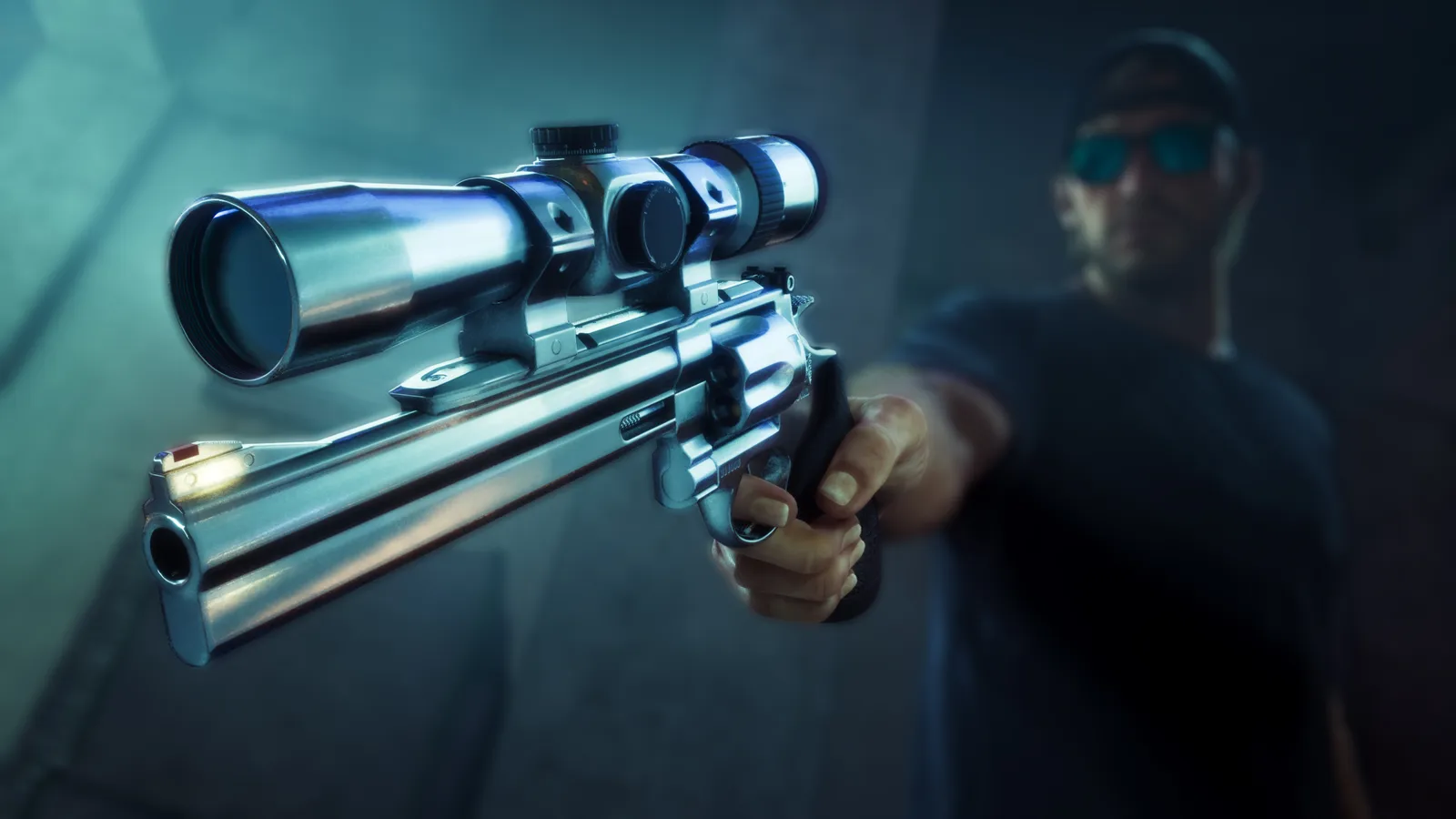
Yes. Before your first fight, open Settings and go to the Combat page under Gameplay. Official The first option, Targeting, has three aim modes (seen in our PS5 gameplay):
| Aim mode | What it does | Who it suits |
|---|---|---|
| Partial | Your aim moves toward a nearby target but never locks on | Most players; the middle ground |
| Lock-On | "Aiming will always attempt to lock on to the nearest target" (in-game text) | New to shooters; easiest fights |
| Free Aim | Never locks on; every shot is on you | Headshots and full control |
Reported Before launch, previews said lock-on would no longer be the default. On our PS5 save the Targeting option read Lock-On, so check yours before you start. Reported A games.gg settings guide published on November 18 suggests Partial as the starting choice for controller players.
The rest of the Combat page
Official These are the settings that change how gunfights feel, with the game's own descriptions (seen in our PS5 gameplay):
- Aim Assist Strength slows the reticle down while you aim at a target. Ours was set to 4. If your aim feels sticky or drags off a target, lower it.
- Lock-On Time keeps your aim on a target before it reverts to free aim. Longer makes moving targets easier to track.
- Lock-On Target Switch lets the right stick jump to other nearby targets while locked on.
- Shooting Assist helps track targets at close range, and Drive-By Assist auto-aims at nearby targets while you drive.
- Quick Draw draws your last weapon when you hold L2 and press R2, so you can aim the moment the gun comes out. Keep it on.
- Holster in Vehicle set to Automatic puts your gun away a short time after you get in a car, when you're not in combat.
Aim too slow or too twitchy? Official The Aim & Look Sensitivity page (Controller tab) has separate look and aim sensitivity, look and aim acceleration, and an Aim Response Curve (seen in our PS5 gameplay). Change aim sensitivity first.
Gyro aiming and auto aim
Reported We didn't see a gyro (motion) aiming option on the Combat or sensitivity pages, and the post-launch control guides we read from games.gg and Insider Gaming list none either. "Auto aim" in GTA 6 terms means Lock-On mode plus Drive-By Assist, both covered above.
The controls
Official On the default scheme, L1 draws or holsters your gun (hold it for the loadout), L2 aims, R2 shoots, R1 takes cover and Square is melee (seen in our PS5 gameplay). Official If your gun has a sight or scope, press R3 while aiming to look straight down it in first person: the shop's Optics menu says it "enables first-person view" (seen in our PS5 gameplay).
4-5. Focus: slow motion, weak points and a longer bar
Official Press L3 and R3 together for Focus (seen in our PS5 gameplay). Early on it's a sense: it shows loot, cash and where noises come from. Reported Guides from IGN and others say combat Focus, the slow-motion version, unlocks a few missions into Chapter 1; before that, using it with a gun out only darkens the screen.
Official In combat Focus the world turns grey and slows down, and enemies light up: in our fight the head and chest were red and the arms yellow. The purple bar drained fast while we aimed and fired, roughly 20 seconds of use in total (seen in our PS5 gameplay). Reported Guides say yellow marks a limb (a hand shot disarms, a leg shot knocks the target down) and red marks the head or heart.
Refill it and make it longer
Official The game's tip says taking enemies down, or headshots, can refill Focus, depending on your criminal profile. Our criminal profile guide explains the profiles. Official The Training Focus help page lists shooting ranges, golf putting, pool and catching fish as ways to make the bar permanently longer (in-game help page).
Reported There are two shooting ranges, Griffin in north-west Vice City and Rodgers Ranch in Port Gellhorn. The waiver costs $5 and every run adds permanent Focus. More on training in our fitness guide.

6-9. The weapon wheel, the trunk and which guns you keep
6. Only four guns
Official The game's tip spells it out: two sidearms and two longarms (in-game tip). When a slot is taken, the pickup prompt shows a swap marker (seen in our PS5 gameplay). Reported Pick up a fifth gun and it replaces the one in that slot: a picked-up gun is gone, a bought one goes back to storage.
7. Open carry gets noticed
Official In our play, people ran when Jason raised a rifle in public, and a carjack right after brought "Crime reported" and wanted stars (seen in our PS5 gameplay). Reported A pistol can be hidden with L1; a rifle can't, and the game warns it can make people nervous or hostile. More in our wanted system guide.
8. The trunk is your armory
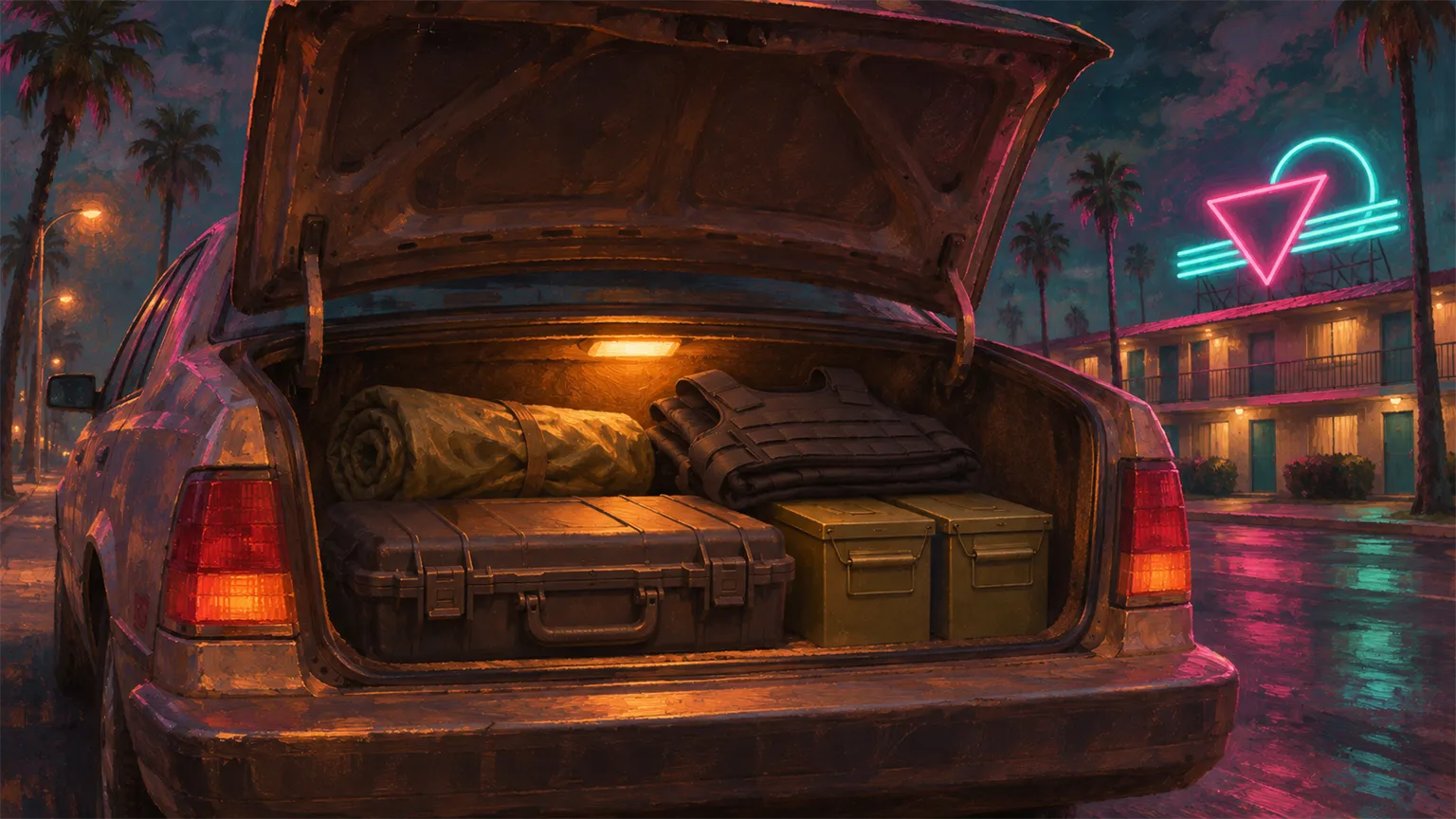
Official Open your car's trunk and pick Loadout: you can stow longarms, take an ammo pack or take an explosives pack (up to 3 of each), and set your 2+2 before a job (seen in our PS5 gameplay). Body armor bought at Ammu-Nation can go straight to the trunk too.
Reported Ammu-Nations with a locker icon have weapon lockers that give back any gun you own for free, but they won't open while you carry a gun you picked up.
9. Weapon wheel colours: keep or lose
Official Hold L1 and look at the glow behind each gun (seen in our PS5 gameplay):
| Wheel glow | What it means | On death or arrest |
|---|---|---|
| Teal | You bought it | Kept, you never lose it |
| None | You picked it up | Lost Reported |
| Gold | Unique gun | Kept for good |
Official When we picked up a unique gun, the game said: "You've unlocked a unique weapon variant. If lost, all owned weapons can be recovered at a locker" (seen in our PS5 gameplay). Reported Want to keep a gun you found? Put it in your own car's trunk.
10-14. Buying guns at Ammu-Nation
Reported Your first gun shop opens a couple of missions in, near Jason's place. Ours was Chuck's Tackle & Shot in Key Lento. Talk to the clerk and pick Weapons & Mods; the tabs are Bundles, Sidearms, Longarms and Ammo & Equipment (seen in our PS5 gameplay).
10. Cash or bank
Official Items up to $999 can be paid in pocket cash. Anything over that, and every bundle, needs your BuckMe bank balance: a $1,050 suppressor said "Not enough BuckMe funds" while we had $2,800 in cash (seen in our PS5 gameplay). Reported The BuckMe account arrives a few missions later. Our GTA 6 money guide covers how to fill it.
11-12. Stats and starter prices
Official Every gun has four stats: Damage, Accuracy, Handling and Range. The Laird 350 sniper has 8.8 accuracy but only 3.6 handling, so it's slow to swing around, and the Moreland 850 pump shotgun hits for 7.5 but has a range of just 2.5 (seen in our PS5 gameplay).
| Starter gun | Type | Price we saw |
|---|---|---|
| Nipper .38 | Pistol | $550 |
| Moreland 850 | Pump shotgun | $700 |
| Laird 350 | Sniper rifle | $950 |
| H&L Mediator | Rifle | $450 on sale (was $900) |
13. More stock and unique guns
Official Buy a gun and the shop says "New guns available": the stock grows the more you buy. Bundles come with mods already fitted; a Klose K17 bundle was $2,535 (seen in our PS5 gameplay). Official Each shop has a unique gun in a display case. At Chuck's it was the Mahi Nipper .38 for $1,160, and the card says variants can't be modified (seen in our PS5 gameplay).
14. Mods, ammo and armor
Official Once you own a gun, press Modify. The Attachments tab has 12 categories, from barrels, foregrips and lights to magazines, muzzles and suppressors, and optics, plus a Cosmetics tab for palettes and wraps. An Aftermath suppressor was $900 and a Convert Micro sight $150 (seen in our PS5 gameplay).
Official In Ammo & Equipment, pistol ammo was $24 for 50, a full ammo pack $950 and body armor $250, with a "Buy & Send to Trunk" option (seen in our PS5 gameplay). Reported Equip the vest from your items and a blue bar sits above your health.
15. Fight smart: non-lethal shots, cover and your profile
Official You don't have to kill. The game says non-lethal shots take targets out without killing them, and its tips say frequent lethal force pushes you toward a hardened profile while extremely violent behavior pushes you toward psycho (in-game tips).
Our advice from the fights we recorded: stay in cover with R1 and pop out only to shoot, save combat Focus for when two or three enemies are on you, and loot the bodies, because early ammo is scarce. Reported Firing in public or aiming at an officer earns a wanted star, and police start with tasers until you draw a gun.
Bonus: 4 free unique guns you can get early
Official All four are unique, so you keep them, and they come ready to use because unique guns can't be modded (seen in our PS5 gameplay).
- Hunter's Laird 350 (sniper, scope fitted). Reported A roadside event at the crossroads south of Hamlet: two hunters, one badly hurt. Drive the wounded hunter to hospital in his truck and he gives you the rifle. Official We took both hunters out instead and grabbed it, and the game warned that extremely violent behavior pushes you toward a psycho profile (seen in our PS5 gameplay). That's $950 saved.
- Kingfishers W-22 (suppressed small-game rifle). Official At the Kingfishers' fishing shacks in Wetman Bay; it's guarded, and the rifle is in a weapon case inside (seen in our PS5 gameplay). Body shots are weak, so it's a headshot gun. Reported The shacks are north-west of Key Lento; a boat is easiest.
- Swamp Bait revolver and Cruel Huntsman's SM-69 (sniper). Reported Both sit in a wrecked hunter's cabin in the marsh south-west of Hamlet, with no fight. Watch for alligators.
- Crabshack VF5 (fast-firing SMG). Official At an abandoned outpost in the Pelican Valley swamp. Switch on the power box outside, log in to the computer with the password hidden in the next room, use the computer's clue to open the safe (cash and another code inside), and that code opens the garage with the VF5 (seen in our PS5 gameplay).
Our take
Our read is that GTA 6 rewards five minutes in the settings more than any GTA before it. Partial with the default assist is a sensible start; move to Free Aim once headshots feel natural. After that, the trunk and the weapon wheel colours are the two systems that save you money: buy the guns you rely on, keep picked-up guns in your trunk, and grab the four free uniques before spending $950 on a Laird. For what we knew before launch, see our weapons and combat guide and the GTA 6 weapons list.
FAQ
Does GTA 6 have aim assist?
Yes. Settings, Combat lets you choose Partial, Lock-On or Free Aim, and set Aim Assist Strength, Lock-On Time and Lock-On Target Switch. Aim Assist Strength slows the reticle down while you aim at a target, so lower it if your aim feels sticky.
How do you turn on free aim in GTA 6?
Open Settings, go to the Combat page under Gameplay and change Targeting to Free Aim. Free Aim never locks on, so every shot is on you. Partial is the middle ground if Free Aim feels too hard.
Does GTA 6 have gyro aiming?
We didn't see a gyro or motion aiming option on the Combat or Aim & Look Sensitivity pages on PS5, and the post-launch control guides we read don't list one. If Rockstar adds it later, we'll update this page.
How many weapons can you carry in GTA 6?
Four: two sidearms and two longarms, as the game's tip says. The rest are stored in your car's trunk, where you can also take ammo packs and explosives packs and set your loadout before a job.
Do you lose weapons when you die in GTA 6?
It depends on the glow in the weapon wheel. Bought guns (teal) and unique guns (gold) are kept; picked-up guns (no glow) are lost when you die or get arrested. Store a found gun in your own car's trunk to keep it.
What are the best free guns in GTA 6?
Early on, the Crabshack VF5 SMG, the suppressed Kingfishers W-22, the Hunter's Laird 350 sniper, and the Swamp Bait revolver with the Cruel Huntsman's SM-69. All are unique, so you keep them for good.
Sources
- GameSight: GTA 6: 15 Things You Need to Know About Weapons and Aim, PS5 gameplay recorded November 18-20, 2026
- Grand Theft Auto VI in-game Settings (Combat, Aim & Look Sensitivity, Accessibility), Ammu-Nation menus and tips, read on PS5
- Rockstar Games: Grand Theft Auto VI
- games.gg: GTA 6 best controller settings (November 18, 2026)
- Insider Gaming: GTA 6 control settings (November 18, 2026)
- Post-launch GTA 6 guides from IGN (wiki), PowerPyx, Output Lag, Dexerto and Sportskeeda (Focus, shooting ranges, lockers, free weapon locations; November 18-20, 2026)

We research GTA 6 from official sources and label every claim as official, reported or rumor. How we work · GameSight on YouTube
Keep reading
 Video + notes
Guides
GTA 6 Money Guide: How to Make Money Fast (No Spoilers)
Cash in your pocket can vanish, the gun you want needs a bank account and loot isn't money until someone buys it. We played the early game on PS5 and wrote down every price, payout and tip. No story spoilers.
 Video + notes
Guides
GTA 6 Fitness System: How to Level Strength, Cardio and Focus
Strength is easy, cardio takes work and focus is the hard one. We trained Jason from level 1 on PS5 and wrote down every percentage, help page and shortcut the game showed us. No story spoilers.
 Video + notes
Guides
GTA 6 Beginner's Guide: 25 Tips From Real Gameplay
We played GTA 6 on PS5 before writing a word. These are the 25 things we wish we'd known on the first boot: the settings, the house, the car trunk, the police description and Focus. No story spoilers.


